







# 1. Install ROS2 Humble (Ubuntu 22.04)
sudo apt update && sudo apt install ros-humble-desktop

# 2. Install project dependencies
sudo apt install -y python3-colcon-common-extensions python3-rosdep python3-argcomplete \
                     ros-humble-ros-gz ros-humble-navigation2 ros-humble-nav2-bringup \
                     ros-humble-robot-state-publisher ros-humble-joint-state-publisher \
                     ros-humble-slam-toolbox ros-humble-teleop-twist-keyboard \
                     ros-humble-rviz2 ros-humble-xacro ros-humble-tf2-tools

# 3. Clone and build
mkdir -p ~/ros2/axioma_ws/src
cd ~/ros2/axioma_ws/src
git clone https://github.com/MrDavidAlv/Axioma_robot.git .
cd ~/ros2/axioma_ws
colcon build --symlink-install
source install/setup.bash

# 4. Launch SLAM (mapping)
ros2 launch axioma_bringup slam_bringup.launch.py

# Or launch autonomous navigation (requires a saved map)
ros2 launch axioma_bringup navigation_bringup.launch.py
See Installation and Usage for detailed instructions.
- Quick Start
- Description
- Features
- Robot Gallery
- Video Demonstrations
- System Architecture
- Mathematical Model
- Requirements
- Installation
- Build
- Usage
- Project Structure
- Contact
This project implements autonomous navigation software using ROS2 for the Axioma.io mobile robot platform. The system integrates SLAM (Simultaneous Localization and Mapping) for real-time map construction, AMCL (Adaptive Monte Carlo Localization) for pose estimation, and Nav2 for trajectory planning and obstacle avoidance. The robot is designed for autonomous material transport in industrial production lines.
- Design a 3D simulation environment that replicates real workspaces with static and dynamic obstacles
- Equip the simulated robot with navigation sensors (LiDAR, encoders, IMU)
- Implement the ROS2 ecosystem for localization (AMCL), control (differential drive), and navigation (Nav2)
- Develop trajectory planning under kinematic constraints and obstacle avoidance
- Integrate the software stack with the physical Axioma.io robot
Mobile robot, autonomous navigation, industrial logistics, trajectory planning, ROS2 Humble, Gazebo Harmonic, Nav2, SLAM, differential drive, skid-steering
| Feature | Description |
|---|---|
| Real-time SLAM | Simultaneous mapping and localization using SLAM Toolbox in asynchronous mode |
| Autonomous Navigation | Full Nav2 stack with global planner (NavFn/Dijkstra) and local controller (DWB) |
| Obstacle Avoidance | Real-time detection and evasion using 360-degree RPLidar A1 LiDAR |
| Teleoperation GUI | PyQt5 graphical interface with keyboard, virtual joystick, and slider control modes |
| Keyboard Teleoperation | Standard teleop_twist_keyboard support for manual control during mapping |
| Full Visualization | RViz2 with dynamic costmaps, planned trajectories, and AMCL particle clouds |
| 4WD Differential Robot | Robust odometry from 1000 PPR encoders with skid-steering kinematics |
| Gazebo Harmonic Simulation | Modern Gazebo Sim with ros_gz bridge for all sensor and actuator interfaces |
| Configurable Parameters | All Nav2, AMCL, SLAM, and DWB parameters tunable per application |
| Open Source | BSD license, free for academic, research, and commercial use |
 |
 |
 |
 |
 |
 |
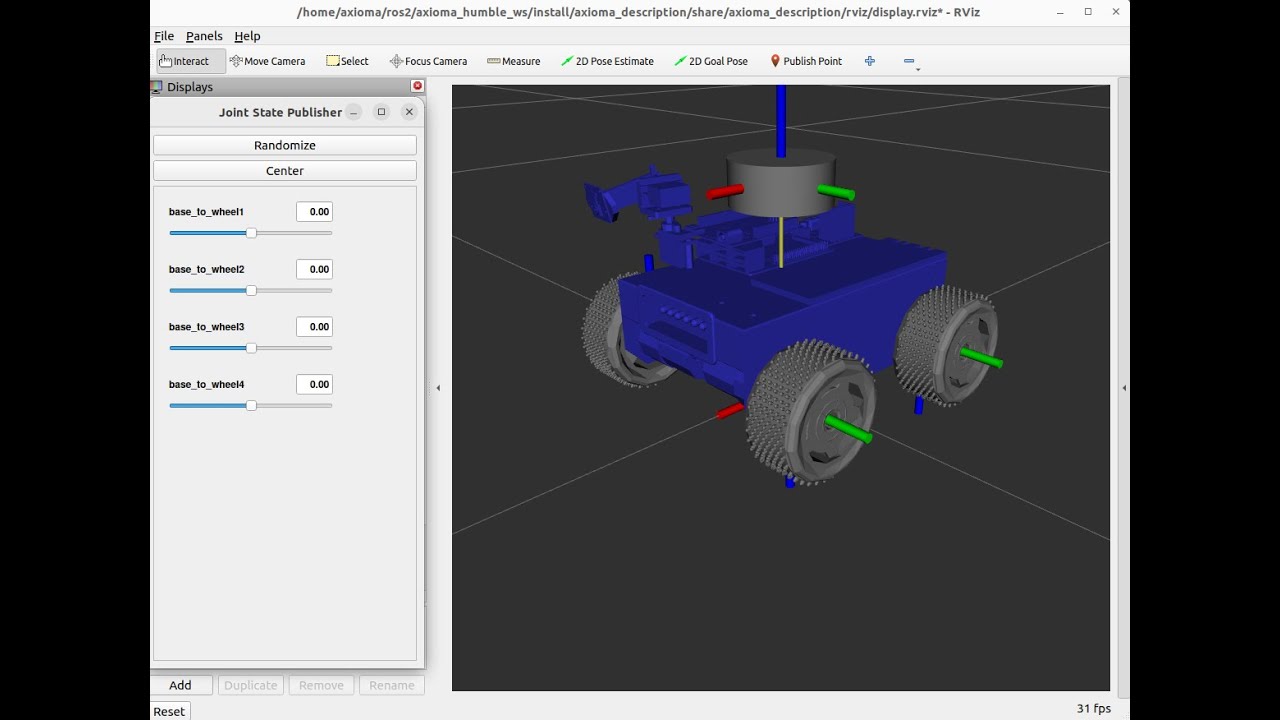
Watch full demonstration on YouTube
Complete walkthrough: real-time SLAM, map saving, and autonomous Nav2 navigation
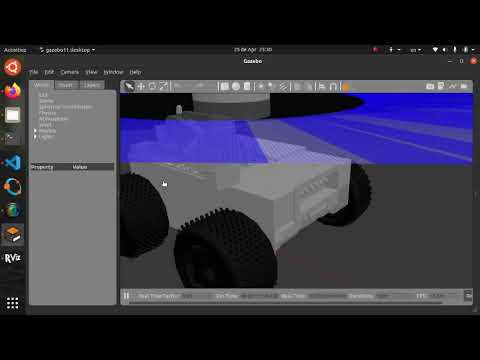
Note: The videos below correspond to an earlier version built with ROS2 Foxy. The core functionality remains the same in the current Humble release with improvements in performance and stability.
| Autonomous Navigation | SLAM and Mapping |
|---|---|
 |
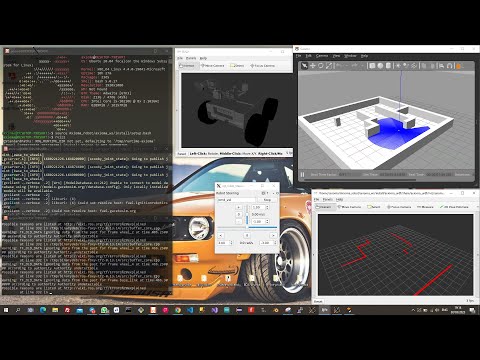 |
| Navigation in a mapped environment | Real-time mapping with LiDAR |
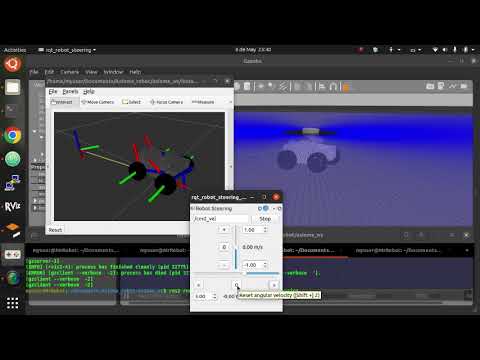
| Sensors and TF Frames | Mechanical Assembly |
|---|---|
 |
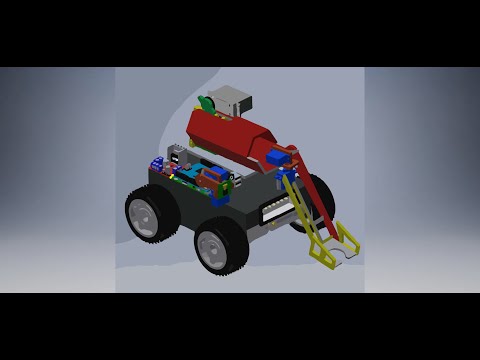 |
| RViz visualization and odometry | CAD design in Autodesk Inventor |
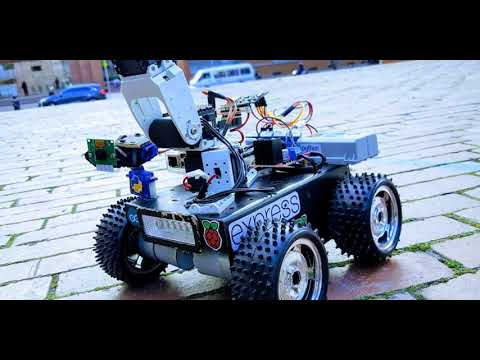
| Mercury Robotics Competition | Teleoperation |
|---|---|
 |
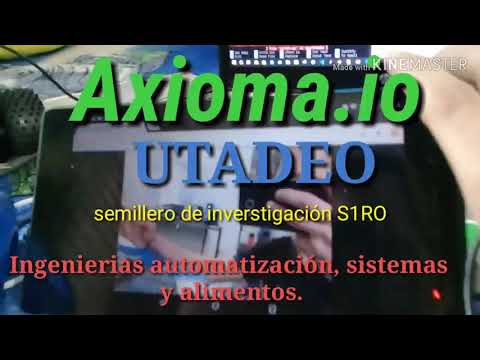 |
| Axioma One at Mercury 2019 | Teleoperation via Raspberry Pi + Flask |

Spatial transform tree: map -> odom -> base_footprint -> base_link -> sensors. The odom_to_tf node publishes the odom -> base_link transform from Gazebo odometry. AMCL publishes map -> odom to correct odometric drift during navigation.

SLAM Toolbox runs in asynchronous mode, building graph-based 2D occupancy grid maps in real time. It processes LiDAR scans at 5.5 Hz and odometry at 50 Hz with pose-graph optimization and loop closure detection.

The Nav2 stack integrates the NavFn global planner (Dijkstra), the DWB local controller (Dynamic Window Approach), dynamic costmaps with inflation and obstacle layers, and recovery behaviors (spin, backup, wait).

Complete differential 4WD skid-steering kinematic model. The diagram shows the robot geometry, control equations, Nav2 integration, and dynamic specifications.
| Parameter | Value |
|---|---|
| Wheel radius |
|
| Wheel separation |
|
| Total mass |
|
| Max linear velocity |
|
| Max angular velocity |
|
| Max linear acceleration |
|
| Max angular acceleration |
|
Differential kinematics:
- Operating System: Ubuntu 22.04 LTS
- ROS2: Humble Hawksbill
- Gazebo: Harmonic (gz-sim 8)
- Python: 3.8+
- CMake: 3.16+
ros-humble-ros-gz              # Gazebo Harmonic integration
ros-humble-navigation2         # Full Nav2 stack
ros-humble-slam-toolbox        # SLAM mapping
ros-humble-rviz2               # Visualization
ros-humble-teleop-twist-keyboard   # Keyboard teleoperation
ros-humble-robot-state-publisher   # URDF TF publishing
ros-humble-tf2-tools           # TF debugging utilities
- CPU: Intel i5 8th Gen / AMD Ryzen 5 or higher (4+ cores)
- RAM: 8 GB minimum, 16 GB recommended
- Storage: 10 GB free disk space
# Configure locale and repository
sudo apt update && sudo apt install locales curl
sudo locale-gen en_US en_US.UTF-8
sudo curl -sSL https://raw.githubusercontent.com/ros/rosdistro/master/ros.key \
  -o /usr/share/keyrings/ros-archive-keyring.gpg
echo "deb [arch=$(dpkg --print-architecture) signed-by=/usr/share/keyrings/ros-archive-keyring.gpg] \
  http://packages.ros.org/ros2/ubuntu $(. /etc/os-release && echo $UBUNTU_CODENAME) main" \
  | sudo tee /etc/apt/sources.list.d/ros2.list > /dev/null

# Install ROS2 Humble Desktop
sudo apt update && sudo apt upgrade
sudo apt install ros-humble-desktopsudo apt install gz-harmonic ros-humble-ros-gzsudo apt install -y \
python3-colcon-common-extensions python3-rosdep \
ros-humble-navigation2 ros-humble-nav2-bringup \
ros-humble-slam-toolbox ros-humble-rviz2 \
ros-humble-teleop-twist-keyboard ros-humble-joy \
ros-humble-robot-state-publisher ros-humble-tf2-tools
sudo rosdep init && rosdep updatemkdir -p ~/ros2/axioma_ws/src
cd ~/ros2/axioma_ws/src
git clone https://github.com/MrDavidAlv/Axioma_robot.git .cd ~/ros2/axioma_ws
colcon build --symlink-install
source install/setup.bashTo automatically source the workspace on every new terminal:
echo "source ~/ros2/axioma_ws/install/setup.bash" >> ~/.bashrcLaunch the simulation with SLAM Toolbox and RViz:
ros2 launch axioma_bringup slam_bringup.launch.pyIn a separate terminal, control the robot to explore the environment:
ros2 run teleop_twist_keyboard teleop_twist_keyboardOr use the graphical teleoperation interface:
ros2 launch axioma_teleop_gui teleop_gui.launch.pySave the map once the environment has been fully explored:
ros2 launch axioma_slam save_map.launch.pyLaunch the simulation with Nav2 and RViz (requires a previously saved map):
ros2 launch axioma_bringup navigation_bringup.launch.pyIn RViz2:
- Use 2D Pose Estimate to set the robot initial pose
- Use 2D Goal Pose to send a navigation goal
- Monitor the global/local costmaps, planned paths, and AMCL particle distribution
# Monitoring
ros2 node list                           # Active nodes
ros2 topic list                          # Active topics
ros2 topic hz /scan                      # LiDAR frequency
ros2 topic echo /cmd_vel                 # Velocity commands
ros2 run tf2_ros tf2_echo map base_link  # TF lookup
ros2 run tf2_tools view_frames           # TF tree diagram

# Debugging
ros2 node info /slam_toolbox
ros2 param list /controller_server
ros2 bag record -a -o navigation_dataAxioma_robot/
├── src/
│ ├── axioma_bringup/ # Top-level launch orchestrators
│ │ └── launch/
│ │ ├── slam_bringup.launch.py
│ │ └── navigation_bringup.launch.py
│ │
│ ├── axioma_description/ # URDF model, meshes, RViz configs
│ │ ├── urdf/
│ │ ├── meshes/
│ │ ├── rviz/
│ │ └── launch/
│ │
│ ├── axioma_gazebo/ # Gazebo Harmonic simulation
│ │ ├── axioma_gazebo/
│ │ │ └── odom_to_tf.py # Odometry to TF broadcaster
│ │ ├── models/axioma_v2/ # SDF model with meshes
│ │ ├── worlds/ # Simulation worlds
│ │ └── launch/
│ │ └── simulation.launch.py
│ │
│ ├── axioma_slam/ # SLAM Toolbox configuration
│ │ ├── config/
│ │ │ └── slam_params.yaml
│ │ ├── rviz/
│ │ └── launch/
│ │ ├── slam.launch.py
│ │ └── save_map.launch.py
│ │
│ ├── axioma_navigation/ # Nav2 configuration and maps
│ │ ├── config/
│ │ │ └── nav2_params.yaml
│ │ ├── maps/
│ │ ├── rviz/
│ │ └── launch/
│ │ └── navigation.launch.py
│ │
│ └── axioma_teleop_gui/ # PyQt5 teleoperation interface
│ ├── axioma_teleop_gui/
│ │ ├── main.py
│ │ ├── main_window.py
│ │ ├── ros_node.py
│ │ └── widgets/
│ │ ├── keyboard_mode.py
│ │ ├── joystick_mode.py
│ │ └── slider_mode.py
│ └── launch/
│ └── teleop_gui.launch.py
│
├── documentacion/
│ └── modelo-matematico/ # Kinematic and control documentation
│
├── images/ # Documentation images
└── README.md
| Parameter | Value | Source |
|---|---|---|
| Total mass | 5.525 kg | SDF model |
| Dimensions (L x W x H) | 0.1356 x 0.1725 x 0.1 m | Geometry |
| Wheel radius | 0.0381 m | model.sdf |
| Friction coefficient | 1.0 (wheels), 0.0 (caster) | SDF |
| Max torque | 20 N*m per wheel | model.sdf |
| LiDAR (RPLidar A1) | 360 samples, 360 deg, 0.15-12 m, 5.5 Hz | SDF |
Author: Mario David Alvarez Vallejo Repository: github.com/MrDavidAlv/Axioma_robot License: BSD -- Free for academic and research use
