



Screenshot webpages to render social media cards on-the-fly using Puppeteer; largely based on how Pieter generates shareable pictures for Nomad List.
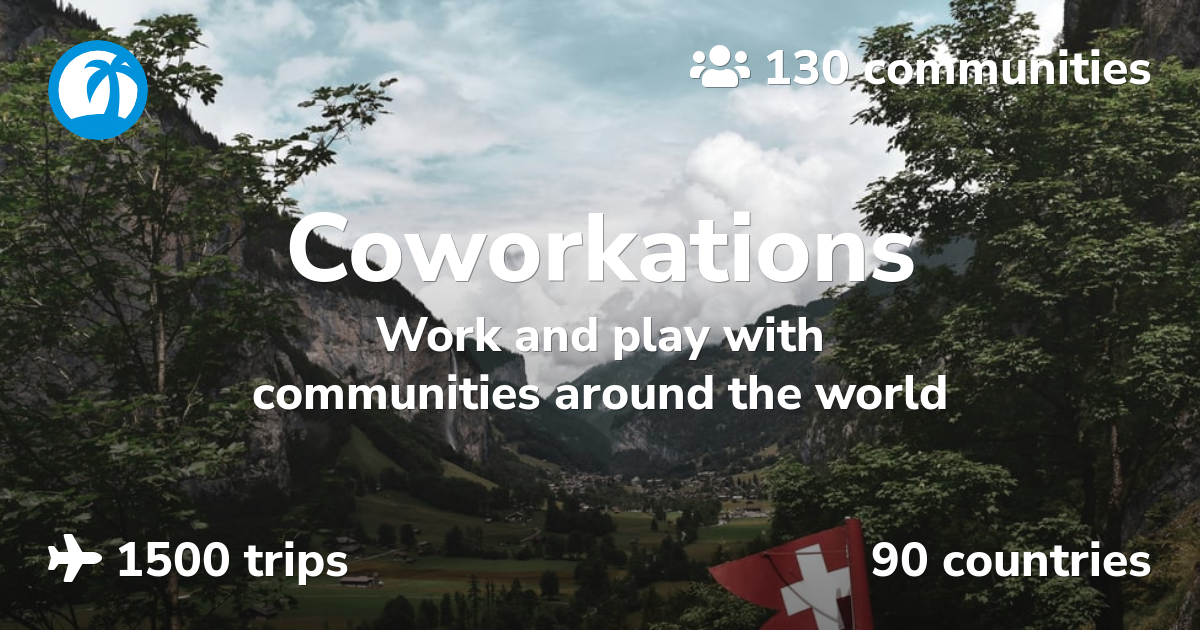 📄 HTML 🖼️ PNG |
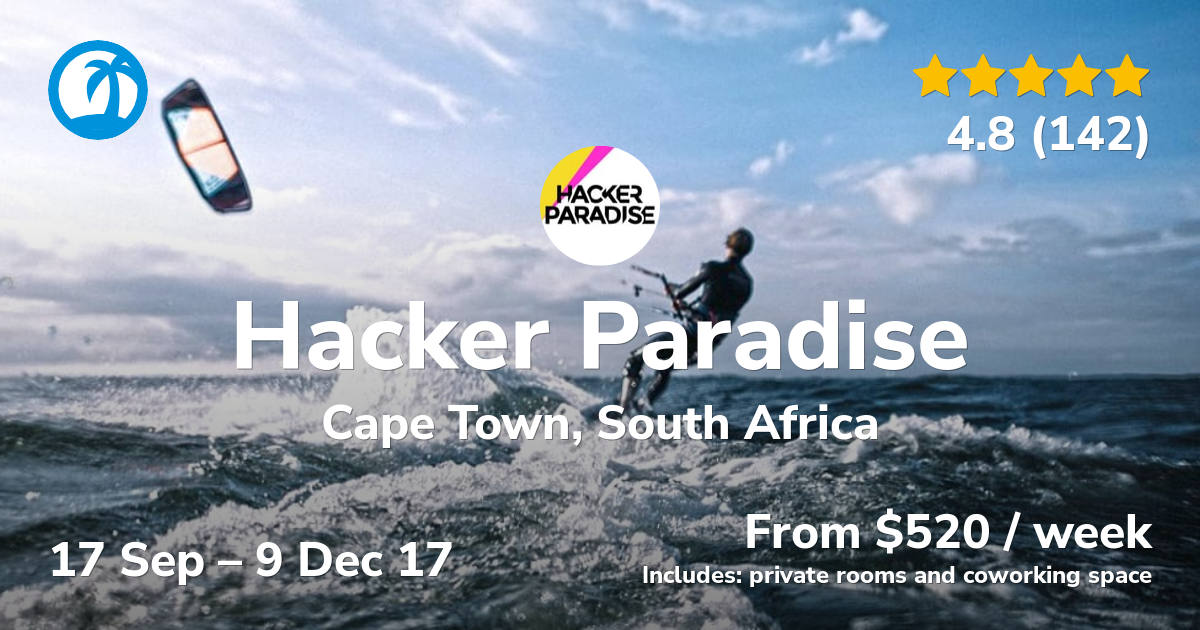 📄 HTML 🖼️ PNG |
|---|---|
 📄 HTML 🖼️ PNG |
 📄 HTML 🖼️ PNG |
Deploy the worker to Cloudflare and mount it on a route like example.com/screenshots/*, then visit screenshots/path/to/something.png for a capture of path/to/something.
Screenshots can be of any webpage, you can pass query params through to your backend if you need to toggle behaviors like to force dark mode on/off, or disable things like Intercom:
| 🖼 PNG (Cloudflare request) | 📄 HTML (webserver request) |
|---|---|
| https://coworkations.com/screenshots/hacker-paradise.png | https://coworkations.com/hacker-paradise |
| https://steve.ly/screenshots/home.png?dark=on | https://steve.ly/?dark=on |


For social media cards you might want to render a template that works well on social media:
| 🖼 PNG (Cloudflare request) | 📄 HTML (webserver request) |
|---|---|
| https://coworkations.com/screenshots/cards/hacker-paradise.png | https://coworkations.com/cards/hacker-paradise |
| https://coworkations.com/screenshots/cards/pack/ubud-bali-2.png | https://coworkations.com/cards/pack/ubud-bali-2 |

The default dimensions for screenshots are 1280x720, which works well for most social media cards. You can specify different dimensions via the URL, e.g., screenshots/1024x768/path/to/something.png.
To screenshot your homepage, request home.png, which captures /, e.g., screenshots/home.png?dark=on captures /?dark=on.
Additionally, you can adjust the pixel density by appending @2x, @3x, or @4x to the filename, e.g., screenshots/path/to/something@2x.png.
Request .jpg for a JPEG, which is usually a fraction of the size of a PNG, at a quality of 80 unless you set one from 1 to 100, e.g., screenshots/quality=60/path/to/something.jpg.
To trigger your site's media queries, add options after any dimensions, separated by commas, e.g., screenshots/1024x768/contrast=more,theme=dark/path/to/something.png; these work for videos and PDFs too:
| Option | Values | Default | |
|---|---|---|---|
contrast |
more, less |
None | Sets prefers-contrast |
media |
print, screen |
print for PDFs, screen otherwise |
Picks which @media styles apply |
motion |
reduce, no-preference |
reduce for screenshots and PDFs, no-preference for videos |
Sets prefers-reduced-motion; reducing it catches the page settled rather than halfway through an animation |
theme |
light, dark |
light |
Sets prefers-color-scheme |
| Variable | Example | |
|---|---|---|
CF_ACCESS_CLIENT_ID, CF_ACCESS_CLIENT_SECRET |
A Cloudflare Access service token, to screenshot a site behind Access | |
EXTERNAL_DOMAINS |
example.org,news.example.net |
Other sites to allow, requested like screenshots/example.org/some/page.png; they're never sent QUERY_PARAMS or your Cloudflare Access credentials |
PURGE_TOKEN |
A secret that lets you delete stored screenshots, see Purging | |
QUERY_PARAMS |
dark=on |
Query params appended to every webserver request, to toggle behaviors for screenshots |
Screenshots are stored for a week, then refreshed in the background the next time they're requested. To replace one sooner, send a DELETE for its URL with your PURGE_TOKEN, and the next request makes a new one:
curl -X DELETE -H "Authorization: Bearer $PURGE_TOKEN" "https://example.com/screenshots/path/to/something.png?dark=on"Each URL is stored separately, so purge each size, format and set of options you use. Pages that fail, like a 404, are remembered for five minutes rather than rendered on every request, and purging clears that too.
You’ll probably want meta tags something like these:
<meta itemprop="image" content="https://coworkations.com/screenshots/cards/coworkations.png">
<meta property="og:image" content="https://coworkations.com/screenshots/cards/coworkations.png">
<meta name="twitter:image" content="https://coworkations.com/screenshots/cards/coworkations.png">Request .mp4, .webp or .gif to record the page, e.g., screenshots/path/to/something.mp4. Recording starts once the page has loaded, so loop any animations you want to capture. MP4s are H.264; animated WebPs and GIFs are much larger, so keep those small.
Append a resolution to the filename to set the video's size, from @240p, @360p, @480p, @720p, @1080p, @1440p or @4k, e.g., screenshots/path/to/something@480p.mp4. The page is laid out at its usual size and the width follows its shape, so @480p of a 1280x720 page is 854x480.
Videos take more options, alongside the media ones above, e.g., screenshots/1024x768/duration=10s,scroll=features;pricing/path/to/something.mp4:
| Option | Values | Default | |
|---|---|---|---|
duration |
1s to 30s |
5s |
How long to record |
effect |
crt, film, glitch, power, shine, vhs |
None | Animates even a still page, see Effects |
fps |
1 to 30 |
30 for MP4, 15 for WebP, 10 for GIF |
Frames per second; fewer record faster and make smaller files |
quality |
1 to 100 |
80 |
For MP4 and WebP, and JPEG screenshots |
scroll |
Element ids or positions, e.g., features;2000px |
None | Where to scroll to in turn, pausing at the top and at each one |
Scrolling to an element respects its scroll-margin-top, and positions are from the top, so scroll=2000px;0px scrolls down and back up.
Formats ignore options they don't use, like quality on a GIF or duration on a PNG, and serve the same file as without them. Options that don't exist or are out of range return a 400 saying which, so typos don't go unnoticed.
 📄 HTML 🎬 MP4 🖼️ WebP |
 📄 HTML 🎬 MP4 🖼️ WebP |
 📄 HTML 🎬 MP4 🖼️ WebP |
|---|


For a video card, add tags like these:
<meta property="og:video" content="https://steve.ly/screenshots/theme=dark/travels@480p.mp4">
<meta property="og:video:width" content="854">
<meta property="og:video:height" content="480">
<meta property="og:video:type" content="video/mp4">Add an effect to a video to animate even a still page, e.g., screenshots/effect=crt/path/to/something.mp4:
 crt 🎬 MP4 🖼️ WebP |
 film 🎬 MP4 🖼️ WebP |
 glitch 🎬 MP4 🖼️ WebP |
|---|---|---|
 power 🎬 MP4 🖼️ WebP |
 shine 🎬 MP4 🖼️ WebP |
 vhs 🎬 MP4 🖼️ WebP |