
Heads is a configuration for laptops and servers that tries to bring more security to commodity hardware. Among its goals are:
- Use free software on the boot path
- Move the root of trust into hardware (or at least the ROM bootblock)
- Measure and attest to the state of the firmware
- Measure and verify all filesystems
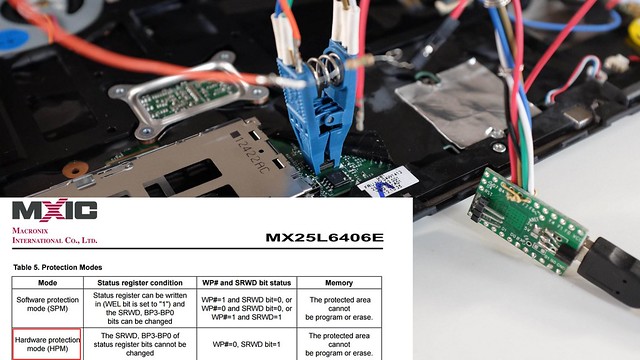
NOTE: It is a work in progress and not yet ready for non-technical users. If you're interested in contributing, please get in touch. Installation requires disassembly of your laptop or server, external SPI flash programmers, possible risk of destruction and significant frustration.
More information is available in the 33C3 presentation of building "Slightly more secure systems".
The doc/ directory contains technical reference documentation for the
Heads codebase. Start here:
| Document | What it covers |
|---|---|
| doc/architecture.md | Component overview: coreboot, Linux payload, initrd, build system, configuration layers |
| doc/security-model.md | Trust hierarchy, measured boot, TOTP/HOTP attestation, GPG boot signing, LUKS DUK, fail-closed design |
| doc/boot-process.md | Step-by-step boot flow: /init → gui-init → kexec-select-boot → OS handoff |
| doc/tpm.md | PCR assignments, sealing policies, SRTM chain, board-specific TPM variations, developer config reference |
| doc/ux-patterns.md | GUI/UX conventions: whiptail wrappers, integrity report, error flows |
| doc/config.md | Board and user configuration system |
| doc/docker.md | Reproducible build workflow using Docker |
| doc/qemu.md | QEMU board targets for development and testing |
| doc/wp-notes.md | Flash write-protection status per board |
| doc/BOARDS_AND_TESTERS.md | Supported boards and their maintainers/testers |
For user-facing documentation and guides, see Heads-wiki.
We welcome contributions to the Heads project! Before contributing, please read our Contributing Guidelines for information on how to get started, submit issues, and propose changes.
Heads builds inside a versioned Docker image. The supported and tested workflow uses the provided Docker wrappers — no host-side QEMU or swtpm installation is needed.
Quick start (requires Docker CE):
./docker_repro.sh make BOARD=x230-hotp-maximized
./docker_repro.sh make BOARD=qemu-coreboot-fbwhiptail-tpm2 run
For full details — wrapper scripts, Nix local dev, reproducibility verification, and maintainer workflow — see doc/docker.md.
For QEMU board testing see doc/qemu.md.
In order to build reproducible firmware images, Heads builds a specific
version of gcc and uses it to compile the Linux kernel and various tools
that go into the initrd. Unfortunately this means the first step is a
little slow since it will clone the musl-cross-make tree and build gcc...
Once that is done, the top level Makefile will handle most of the
remaining details -- it downloads the various packages, verifies the
hashes, applies Heads specific patches, configures and builds them
with the cross compiler, and then copies the necessary parts into
the initrd directory.
There are still dependencies on the build system's coreutils in
/bin and /usr/bin/, but any problems should be detectable if you
end up with a different hash than the official builds.
The various components that are downloaded are in the ./modules
directory and include:
We also recommend installing Qubes OS,
although there Heads can kexec into any Linux or
multiboot
kernel.
- Building coreboot's cross compilers can take a while. Luckily this is only done once.
- Builds are finally reproducible! The reproduciblebuilds tag tracks any regressions.
- Currently only tested in QEMU, the Thinkpad x230, Librem series and the Chell Chromebook. ** Xen does not work in QEMU. Signing, HOTP, and TOTP do work; see below.
- Building for the Lenovo X220 requires binary blobs to be placed in the blobs/x220/ folder. See the readme.md file in that folder
- Building for the Librem 13 v2/v3 or Librem 15 v3/v4 requires binary blobs to be placed in the blobs/librem_skl folder. See the readme.md file in that folder
OS booting can be tested in QEMU using a software TPM. HOTP can be tested by forwarding a USB token from the host to the guest.
For more information and setup instructions, refer to the qemu documentation.
The coreboot console messages are stored in the CBMEM region
and can be read by the Linux payload with the cbmem --console | less
command. There is lots of interesting data about the state of the
system.
