Collab Docs is my answer to a very specific daily pain point:
I am a Vim developer, but I still use Google Docs a lot for essays, notes, drafts, and collaborative writing. The problem is that every time I have to reach for the mouse, open menus, or leave the keyboard to format and navigate, it breaks my flow. So I built my own collaborative document editor that keeps the Google Docs-style collaboration experience, but adds Vim-inspired editing on top.
Try it out: https://collab-docs-umber.vercel.app/


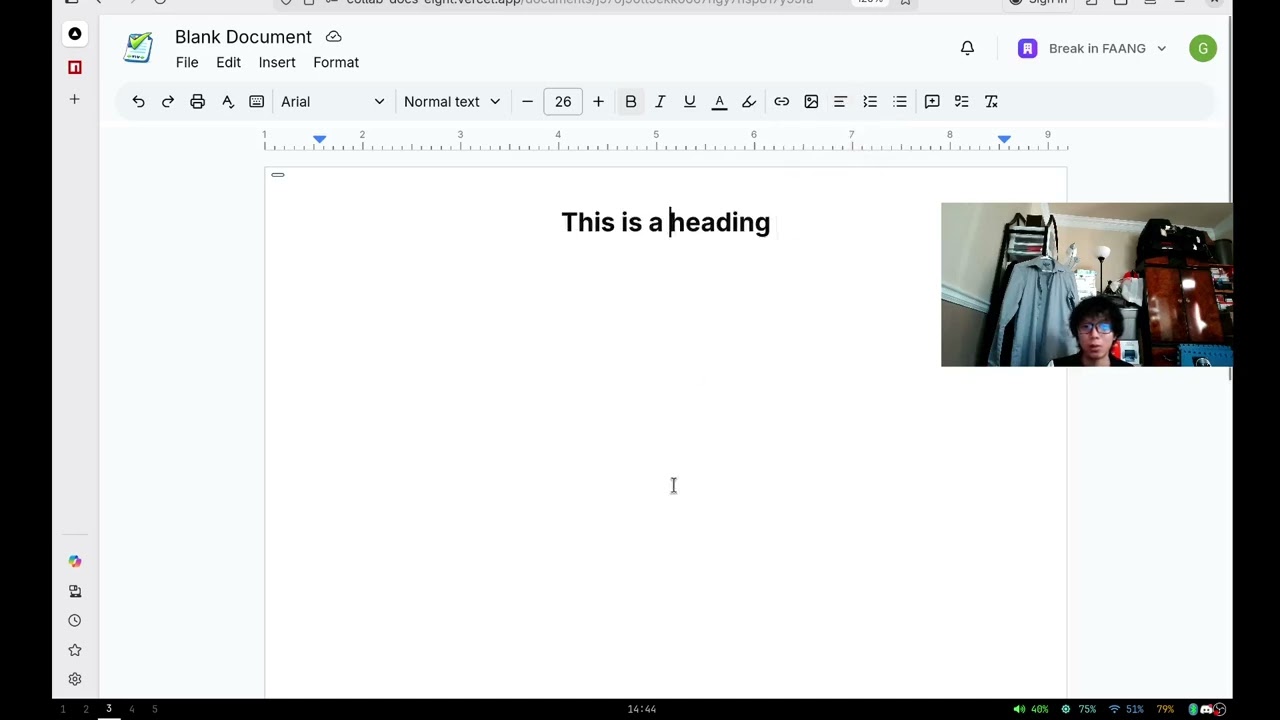


Most collaborative editors optimize for mouse-first usage.
- You click to move around.
- You open dropdowns to format.
- You switch between writing mode and formatting mode manually.
- You collaborate well, but you do not stay in flow.
That works, but it is not how I naturally write.
I wanted something that felt closer to this:
- Draft with the speed and muscle memory of Vim.
- Keep modern rich text editing for essays, notes, proposals, and documents.
- Preserve real-time collaboration, comments, and sharing-like team access.
- Avoid sacrificing keyboard-centric control just because the document lives in the browser.
So Collab Docs is basically: "what if Google Docs respected a Vim brain?"
Writers and developers often split their work across two worlds:
Vimor terminal editors for speed, precision, and keyboard flow.Google Docsfor collaboration, comments, formatting, and easy document sharing.
The gap is frustrating:
- Vim is fast, but not naturally built for browser-native collaboration with comments and presence.
- Google Docs is collaborative, but heavily mouse-driven for many actions.
- Switching between the two creates context loss and friction.
I did not try to clone Google Docs feature-for-feature. The goal was narrower and more practical:
- Build a polished collaborative writing surface for normal document work.
- Add Vim-style interaction directly inside the rich text editor.
- Keep the product easy to demo: create a doc, collaborate live, comment, format, and navigate without leaving the keyboard-first mindset.
That led to this stack:
Next.js 15for the app shell and routing.Convexfor document storage, queries, mutations, pagination, and search.Clerkfor authentication and organization-aware access.Liveblocksfor real-time collaboration, presence, comments, inbox notifications, and room state.Tiptapfor the editor foundation.- A custom
VimModeExtensionto bring normal, insert, and visual mode behavior into the editor.
The demo flow is straightforward and tells the whole story:
- Sign in.
- Land on a Google Docs-style home screen with templates and recent documents.
- Create a new document from a blank page or a prebuilt template.
- Enter the editor room tied to that document.
- Write and format with a rich text toolbar, but toggle Vim mode when you want keyboard-first editing.
- Collaborate with other users in the same room with live presence, cursors, comments, and inbox notifications.
- Export the document as
JSON,HTML,TXT, or print toPDF.
The home screen is intentionally familiar:
- template gallery for fast starts
- searchable document list
- pagination
- rename / remove / open-in-new-tab actions
- organization switcher for personal vs team context
Documents are stored in Convex with:
titleinitialContentownerIdorganizationId
Search is backed by a Convex search index on document title, scoped to either the current user or the active organization.
When a document opens:
- the app preloads the document from Convex
- the client joins a Liveblocks room using the document id
- authorized users are resolved from Clerk
- room storage keeps editor layout state such as left and right page margins
Inside the editor, Tiptap powers:
- rich text
- headings
- links
- tables
- task lists
- underline
- highlight
- text color
- text alignment
- custom font size
- custom line height
- image embedding and resizing
This is the core differentiator.
I added a custom Tiptap extension for Vim-like behavior, including:
- normal mode
- insert mode
- visual mode
- block cursor behavior
- word and line motions
- multi-key operators like
dw,dd, andyy - character search behavior
- command-style interactions inside the editor
- a quit hook that can return the user back to the document list
There is also a toolbar toggle for Vim mode, so the app works for both keyboard-first users and regular browser users.
Liveblocks handles the collaborative parts that matter in a demo:
- realtime presence
- avatars of active collaborators
- anchored comment threads
- floating comment composer
- inbox notifications for collaboration events
The auth route checks whether the current Clerk user is:
- the document owner, or
- a member of the same organization as the document
Only then does it authorize full access to the Liveblocks room.
Images can be:
- uploaded from the local machine
- inserted by pasting an image URL
Local uploads use a signed S3 upload URL generated by the server, then store the public asset URL directly in the document content.
This project demos well because it has a clear user story and visible product value very quickly:
- the problem is relatable
- the UI is familiar
- the Vim angle is immediately memorable
- collaboration is visible in real time
- templates make the first-run experience fast
- comments and notifications make it feel like a real collaborative product, not just a text editor
A strong demo sequence is:
- Open the home page and show templates.
- Create a document.
- Toggle Vim mode and show keyboard-first editing.
- Apply formatting, insert a table or image, and prove it is still a full document editor.
- Open the same doc with another user and show live collaboration, avatars, and comments.
- Export the result.
- Google Docs-style home dashboard
- template-driven document creation
- document search and pagination
- personal and organization-scoped documents
- realtime collaborative editing
- comments and threaded discussions
- inbox notifications
- Vim mode integrated into the editor
- text formatting, headings, lists, links, tables, task lists, colors, highlights, alignment
- image upload via signed S3 URLs
- export to
JSON,HTML,TXT, and print toPDF
Next.js 15React 19 RCTypeScriptConvexClerkLiveblocksTiptapTailwind CSSRadix UIZustand
Clerk auth
  -> identifies the current user and organization

Convex
  -> stores document metadata and template-created records
  -> powers queries, mutations, pagination, and search

Liveblocks
  -> creates a realtime room per document
  -> syncs collaboration state, comments, presence, and notifications

Tiptap
  -> renders and edits the rich text document
  -> extended with custom font size, line height, and Vim behavior

S3
  -> stores uploaded images through signed PUT URLs
src/appapplication routes, pages, layouts, API routessrc/app/(home)dashboard, search, template gallery, document tablesrc/app/documents/[documentId]document room, navbar, toolbar, editor, commentssrc/extensionscustom Tiptap extensions, including Vim modeconvexschema, auth config, queries, and mutationssrc/constants/template.tsstarter templates and initial document HTMLsrc/utils/s3.tssigned upload URL generation
npm installThese are the app variables read directly in the codebase:
NEXT_PUBLIC_CONVEX_URL=
NEXT_PUBLIC_CLERK_PUBLISHABLE_KEY=
LIVEBLOCKS_SECRET_KEY=
AWS_REGION=
AWS_ACCESS_KEY_ID=
AWS_SECRET_ACCESS_KEY=
S3_BUCKET=
PUBLIC_S3_BASE_URL=
You will also need the standard Clerk server-side environment variables for a working local auth setup.
npm run devOpen http://localhost:3000.
- This repo is optimized around demoing the product experience, especially the Vim-meets-collaboration angle.
- The current Convex auth config is tied to a specific Clerk development instance, so you will likely want to update that for your own deployment.
- The app assumes S3-compatible storage is available for image uploads.
Collab Docs is a collaborative writing app built from the perspective of someone who likes the convenience of Google Docs but hates losing flow to the mouse.
It is not just "Google Docs with Vim keybinds." The real idea is to make collaborative writing feel natural for keyboard-first users without giving up rich formatting, comments, realtime presence, or team workflows.