
An open-source Hubspot/Qualtrics alternative enables SaaS providers and digital marketing agencies/developers to create unique experiences for their entire business
Docs | Demo | Website | Invest









Achieving growth and unity within your company is possible with erxes, because it is:
- 100% free & sustainable: erxes offers a sustainable business model in which both developers and users win. It is open-source software, but even better.
- 100% customizable: Our plugin-based architecture provides unlimited customization and lets you meet all your needs, no matter how specific they are.
- 100% privacy: We've designed the erxes platform to retain complete control over your company's sensitive data with no third-party monitoring.
- 100% in control: You can build any experience you want, where all the channels your business operates on are connected and integrated.
erxes (pronounced 'erk-sis') means "heavenly bodies" in Mongolian. It is branded as “erxes” with all lowercase letters.
erxes is a secure, self-hosted, and scalable open-source experience operating system (XOS) that enables SaaS providers and digital marketing agencies/developers to create unique experiences that work for all types of business. You can learn more about erxes architecture in our documentation.
erxes is composed of 2 main components: XOS & Plugins
XOS: It contains the project's core. You can find the admin panel and the code that runs different plugins. The operating system comes with utility features that allow users to customize, improve speed, and enhance the experience along with plugins/features.
Plugins: erxes comes with a set of plugins that allow you to create unique customer experiences. Below is a list of some plugins you can choose from our marketplace after you’ve finished installing erxes XOS:
- Team Inbox - Combine real-time client and team communication with in-app messaging, live chat, email, and form, so your customers can reach you, however, and whenever they want.
- Messenger - Enable businesses to capture every single customer feedback and educate customers through knowledge-base right from the erxes Messenger.
- Sales Management - Easy and clear sales funnels allow you to control your sales pipeline from one responsive field by precisely analyzing your progress and determining your next best move for success.
- Lead generation - Turn regular visitors into qualified leads by capturing them with a customizable landing page, forms, pop-up, or embed placements.
- Engage - Start converting your prospects into potential customers through email, SMS, messenger, or more interactions to drive them to a successful close.
- Contact Management - Access our all-in-one CRM system in one go, so it’s easier to coordinate and manage your customer interactions.
- Knowledgebase - Educate your customers and staff by creating a help center related to your brands, products, and services to reach a higher level of satisfaction.
- Task Management - Create a more collaborative, self-reliant and cross-linked team. See more on our website.


Screenshots from the native erxes/erxes-ios-sdk.
Classic mode (displayMode: 'classic')
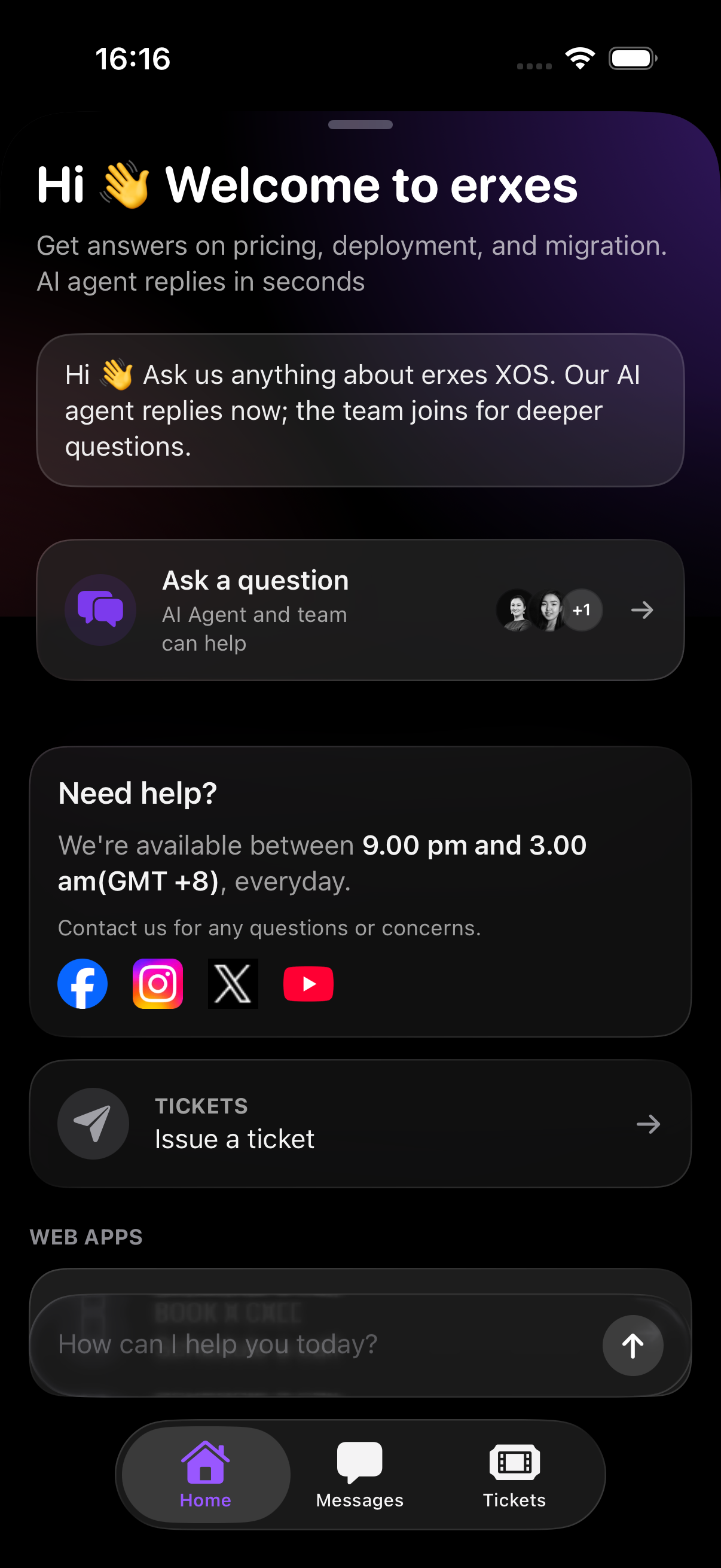
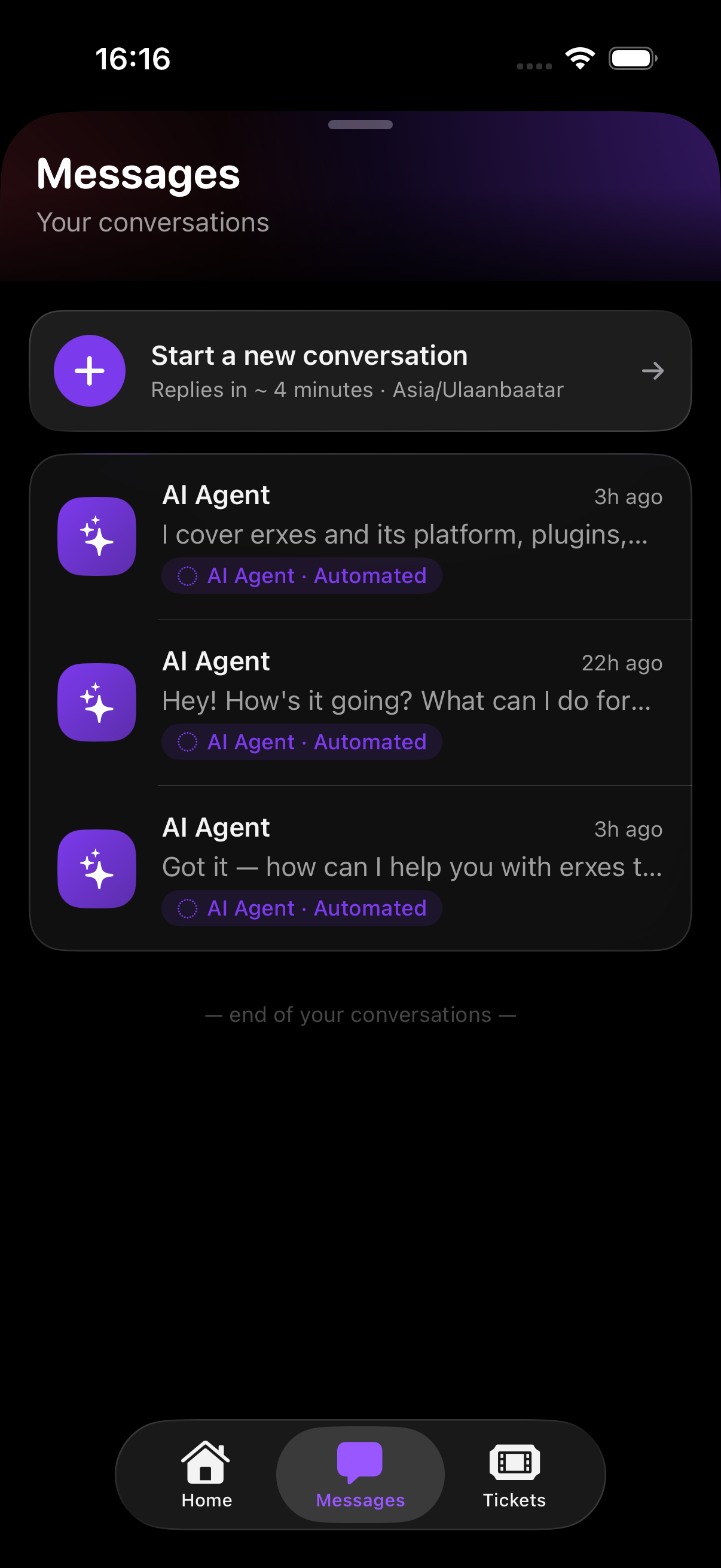
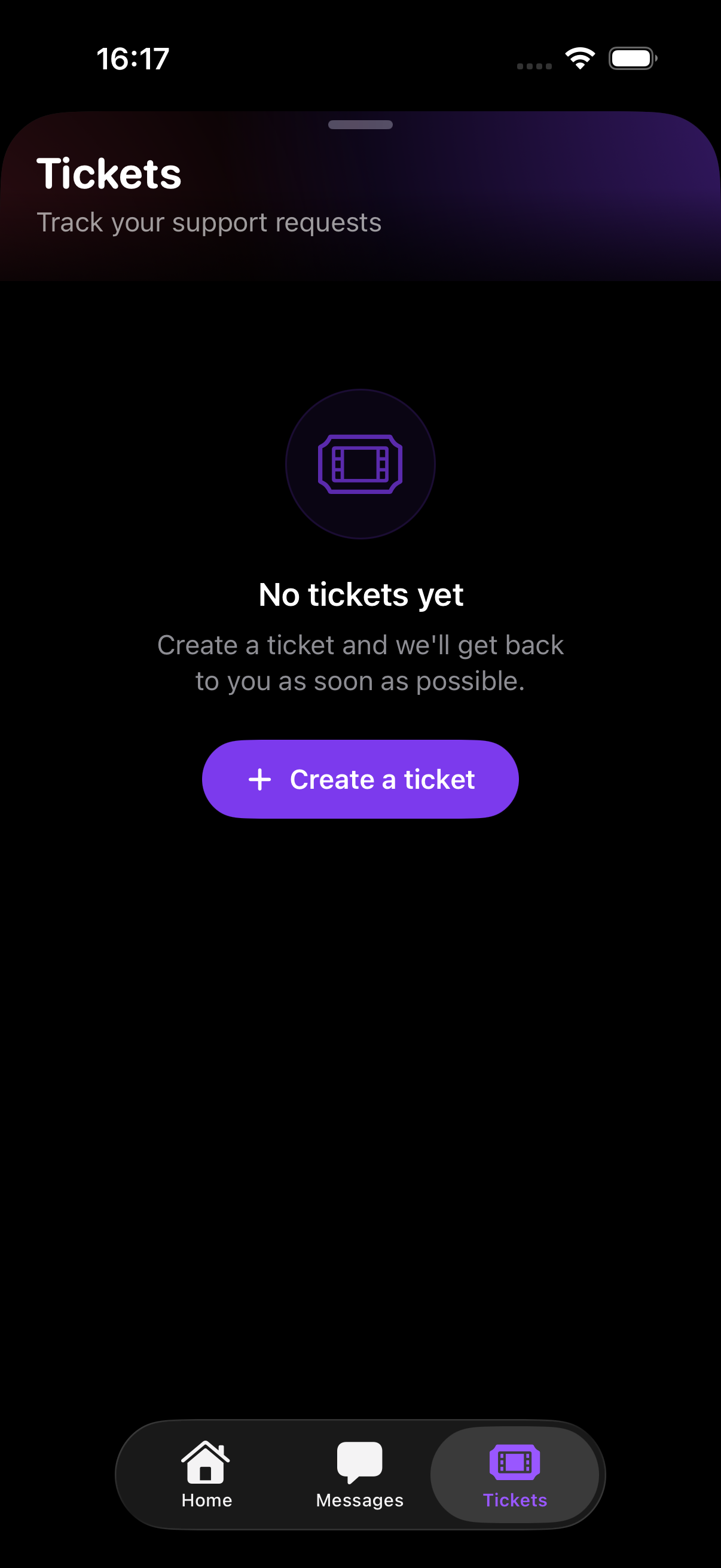
Chat mode (displayMode: 'chat')
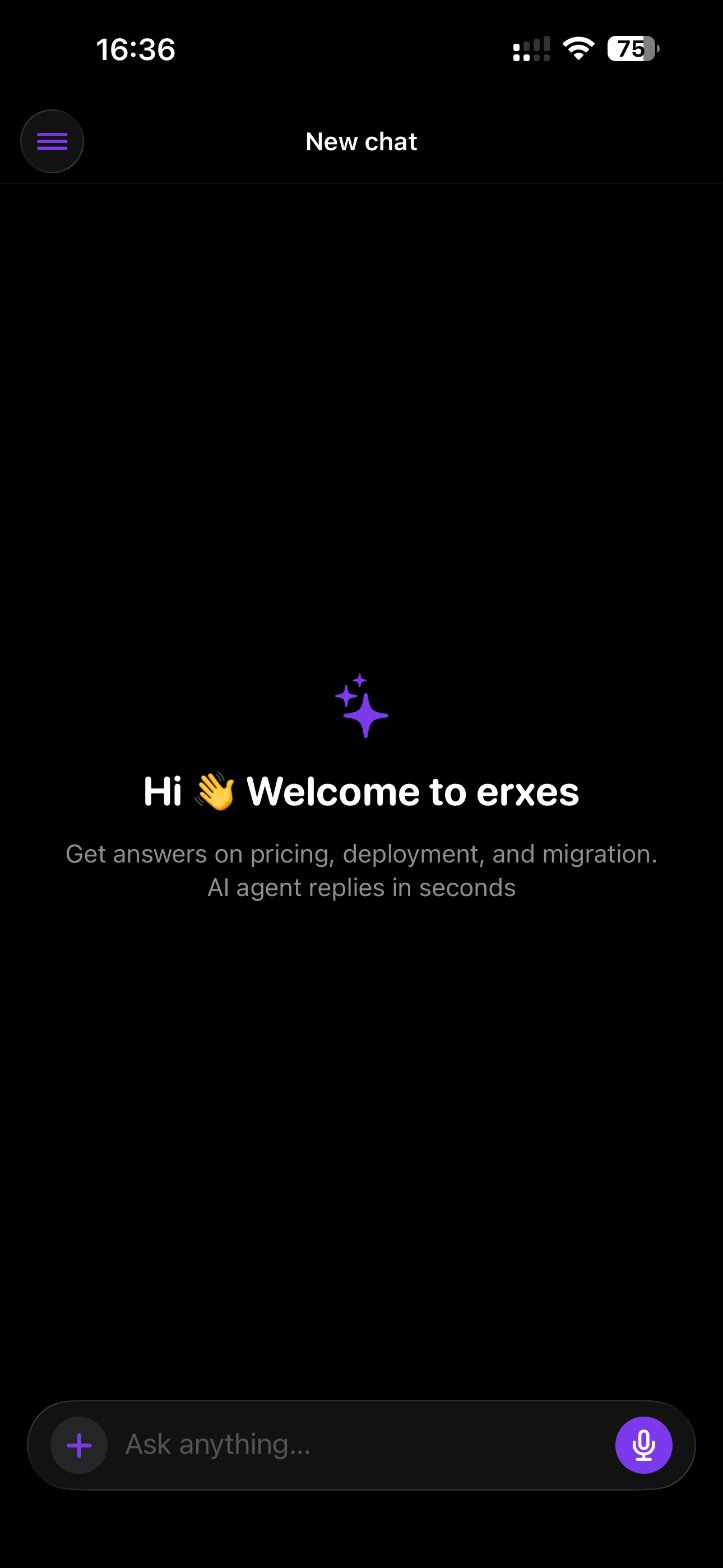
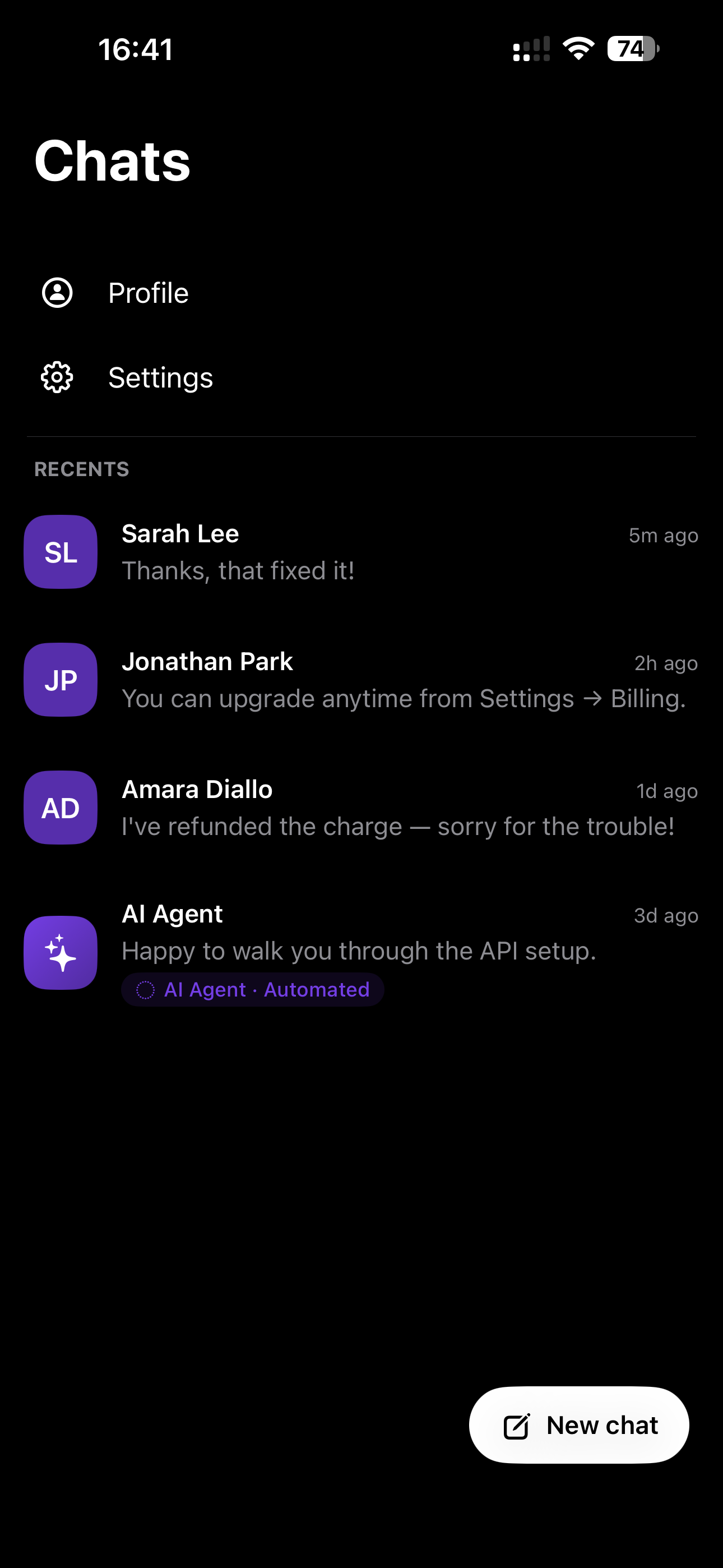
Backed by the native erxes/erxes-android-sdk.
Android currently implements chat mode (displayMode: 'chat'); the classic
floating launcher is iOS-only for now (showLauncher/hideLauncher/hideMessenger
are no-ops on Android). See Requirements.
- iOS native messenger (classic widget + chat mode)
- Android native messenger (chat mode)
- Android classic widget + floating launcher
A React Native bridge for the native erxes messenger — SwiftUI on iOS
(erxes/erxes-ios-sdk) and Jetpack
Compose on Android (erxes/erxes-android-sdk).
iOS supports the classic widget and the full-screen chat mode (with voice
messages and header/drawer actions); Android supports chat mode.
import { ErxesMessenger } from 'rn-erxes-sdk';Two APIs are exported:
<ErxesMessenger />— a declarative React component that handles configure, user identity, action taps, and the show/hide lifecycle. Recommended for most apps.ErxesNativeIOS— the low-level native bridge for advanced/imperative control.
| iOS | 16.0+ |
| Swift | 5.9+ |
| Android | minSdk 24+, Java 17 |
| React Native | 0.81+ |
| Expo SDK | 53+ (development build or prebuild — Expo Go not supported) |
yarn add rn-erxes-sdk
cd ios && pod installnpx expo install rn-erxes-sdk expo-build-propertiesAdd to app.json:
{
  "plugins": [
    ["expo-build-properties", { "ios": { "deploymentTarget": "16.0" } }]
  ]
}
npx expo prebuild --platform ios
cd ios && pod install
npx expo run:iosAutolinking picks up the native module — no manual linking. Notes:
-
Chat mode only. Use
displayMode="chat".minSdkmust be24+and the app compiles against Java 17. -
Android SDK artifact. The bridge depends on the native
io.github.munkhorgilb:messenger-sdk:0.30.2, resolved from Maven Central. -
Action icons (optional). To use Material icon names for
androidIcon(e.g."AccountCircle"), add the full Compose Material icon set to your app:// android/app/build.gradle dependencies { implementation(platform("androidx.compose:compose-bom:2024.12.01")) implementation("androidx.compose.material:material-icons-extended") }
For release (R8/ProGuard) builds, keep the icon classes so name-based lookup survives minification:
# android/app/proguard-rules.pro
-keep class androidx.compose.material.icons.filled.** { *; }
Alternatively, use a drawable resource instead of a Material icon (no extra dependency) — see Action icons.
npx expo prebuild --platform android
npx expo run:androidRender the component where the messenger should be active. It configures the SDK on
mount, dispatches action taps to your onPress handlers, and hides the messenger on
unmount. It renders nothing — the messenger UI is presented natively over your app.
import { ErxesMessenger } from 'rn-erxes-sdk';

<ErxesMessenger
  integrationId="YOUR_INTEGRATION_ID"
  subDomain="yourcompany.erxes.io"
  user={{ name: 'Jane Doe', email: 'user@example.com' }}
/>;Shows a draggable button over your app. Tapping it opens the messenger.
<ErxesMessenger
  integrationId={INTEGRATION_ID}
  endpoint={ENDPOINT}
  displayMode="classic"
  launcherVisible
  user={CURRENT_USER}
/>Chat mode opens full-screen and auto-opens when connected. Bind visible to screen
focus so the messenger shows/hides as the user navigates, and add a header action to
jump to another screen.
import { ActivityIndicator, View } from 'react-native';

const isFocused = useIsFocused();

<ErxesMessenger
  visible={isFocused}
  integrationId={INTEGRATION_ID}
  endpoint={ENDPOINT}
  displayMode="chat"
  user={CURRENT_USER}
  renderLoading={() => (
    <View style={{ flex: 1, justifyContent: 'center' }}>
      <ActivityIndicator />
    </View>
  )}
  homeActions={[
    {
      id: 'profile',
      title: 'Profile',
      iosIcon: 'person.crop.circle', // SF Symbol (iOS)
      androidIcon: 'AccountCircle', // Material icon name (Android)
      onPress: async ({ hide }) => {
        await hide();
        navigation.navigate('Profile', { user: CURRENT_USER });
      },
    },
  ]}
/>;
renderLoading shows your own UI until the connection handshake completes
(onReady). Note that chat mode also shows its own loading indicator inside the
full-screen native view, so renderLoading is most useful in classic mode.
Open chat on mount, hide it on unmount, and add an X action that closes the
messenger and pops the screen.
<ErxesMessenger
  integrationId={INTEGRATION_ID}
  endpoint={ENDPOINT}
  displayMode="chat"
  autoOpen
  autoHideOnUnmount
  user={CURRENT_USER}
  homeActions={[
    {
      id: 'close',
      title: 'Close',
      iosIcon: 'xmark', // SF Symbol (iOS)
      androidIcon: 'Close', // Material icon name (Android)
      onPress: async ({ hide }) => {
        await hide();
        navigation.goBack();
      },
    },
  ]}
  onReady={() => console.log('erxes messenger ready')}
  onError={(error) => console.log('erxes messenger error', error)}
/>| Prop | Type | Notes |
|---|---|---|
integrationId |
string |
Required. |
endpoint / serverUrl / subDomain |
string |
Provide one. subDomain accepts 'company.erxes.io'. |
displayMode |
'classic' | 'chat' |
Defaults to 'classic'. |
user |
ErxesUser |
{ name?, email?, phone?, customData? }. |
cachedCustomerId |
string |
Reuse a cached customer. |
primaryColor |
string |
Hex accent, e.g. '#3f78d9'. |
visible |
boolean |
Controlled show/hide on change. |
autoOpen |
boolean |
Open after configure. Defaults to true in chat mode. |
autoHideOnUnmount |
boolean |
Hide on unmount. Defaults to true. |
launcherVisible |
boolean |
Show/hide the floating launcher after configure. |
homeActions / drawerActions |
ErxesAction[] |
{ id, title, iosIcon?, androidIcon?, onPress? }. Chat mode only. See Action icons. |
renderLoading |
() => ReactNode |
Rendered while configuring (between onLoad and onReady/onError), e.g. a spinner. Defaults to nothing. |
onLoad / onReady / onOpen / onClose / onError |
callbacks | Lifecycle events. |
onLoadingChange |
(loading: boolean) => void |
Fired when the loading state changes (true while configuring). |
onAction |
(id, helpers) => void |
Fallback for tapped actions with no onPress. |
Action onPress (and onAction) receive ErxesMessengerHelpers:
show, hide, showLauncher, hideLauncher, setUser, clearUser.
On Android, showLauncher/hideLauncher/hide are no-ops (chat mode only).
Each homeActions / drawerActions entry takes platform-specific icon fields —
the platform you're not running on is ignored:
| Field | Platform | Value |
|---|---|---|
iosIcon |
iOS | An SF Symbol name, e.g. 'person.crop.circle'. |
androidIcon |
Android | A Compose Material icon name (e.g. 'AccountCircle', 'Search') or a drawable resource name in your app (e.g. 'ic_profile'). |
homeActions={[
  { id: 'profile', title: 'Profile', iosIcon: 'person.crop.circle', androidIcon: 'AccountCircle' },
]}
On Android androidIcon resolves in order: Material icon name → drawable resource
→ the messenger's default icon if neither matches.
- Material icon names are the Compose
Icons.Filled.*names in PascalCase. Only a few ship inmaterial-icons-core; for the full set addmaterial-icons-extended(and a release keep rule) — see Android setup. - Drawable resources need no extra dependency: drop a vector/PNG under
android/app/src/main/res/drawable/and pass its file name (without extension).
systemIconis still accepted as a deprecated alias foriosIcon.
Call configure once at startup. It connects in the background so the messenger opens instantly.
import { ErxesNativeIOS } from 'rn-erxes-sdk';

ErxesNativeIOS.configure({
  integrationId: 'YOUR_INTEGRATION_ID',
  subDomain: 'yourcompany.erxes.io',
});
Optionally identify the user:
ErxesNativeIOS.setUser({
  email: 'user@example.com',
  name: 'Jane Doe',
  customData: { plan: 'pro' },
});Shows a draggable button over your app. Tapping it opens the messenger automatically.
ErxesNativeIOS.showLauncher();
// ErxesNativeIOS.hideLauncher(); // to remove itIf you have a custom trigger in your UI, call showMessenger() directly:
<Button title="Support" onPress={() => ErxesNativeIOS.showMessenger()} />Pass displayMode: 'chat' for the full-screen assistant shell (it auto-opens
when connected, so showLauncher() is a no-op). You can add header/drawer
actions and react to taps by id:
ErxesNativeIOS.configure({
  integrationId: 'YOUR_INTEGRATION_ID',
  subDomain: 'yourcompany.erxes.io',
  displayMode: 'chat',
  homeActions: [
    {
      id: 'orders',
      title: 'My Orders',
      iosIcon: 'bag',
      androidIcon: 'ShoppingBag',
    },
  ],
  drawerActions: [
    {
      id: 'settings',
      title: 'Settings',
      iosIcon: 'gearshape',
      androidIcon: 'Settings',
    },
  ],
});

const sub = ErxesNativeIOS.addActionListener((id) => {
  // navigate / open a modal based on id
});
// sub.remove() on cleanup
To know when the messenger has finished connecting (e.g. to hide your own spinner), listen for the ready event:
const readySub = ErxesNativeIOS.addReadyListener(() => {
  // connection handshake complete — messenger is ready
});
// readySub.remove() on cleanup
Chat mode also supports voice messages — see the Native iOS guide for the required Info.plist permissions.
On logout:
ErxesNativeIOS.clearUser();Full example: Native iOS guide.
yarn list --pattern rn-erxes-sdkor:
npm ls rn-erxes-sdkyarn add rn-erxes-sdk@latestor:
npm install --save rn-erxes-sdk@latestAfter upgrading, reinstall pods and rebuild the app:
cd ios
pod installThis package uses native Swift code and does not run in Expo Go. Use an Expo development build or a bare React Native app.
This repository requires Node.js >=20.19.0 and Yarn Classic 1.22.22.
corepack enable
corepack prepare yarn@1.22.22 --activate

yarn install
yarn typecheck
yarn lint
yarn test
yarn prepack
npm pack --dry-run
The example app uses Expo SDK 54, React 19.1.0, and React Native 0.81.5, and aliases rn-erxes-sdk to the root src directory for local development:
cd example
yarn install
npx expo start --clearOffer your expertise to the world and introduce your community to erxes. Let’s start growing together.
Please read our contributing guide before submitting a Pull Request to the project.
For general help using erxes, please refer to the erxes documentation. For additional help, you can use one of these channels to ask a question:
- Discord For live discussion with the community
- GitHub Bug reports, contributions
- Feedback section Roadmap, feature requests & bugs
- Twitter Get the news fast
Follow our upgrade guides on the documentation to keep your erxes code up-to-date. See our dedicated repository for the erxes documentation, or view our documentation here.
See the LICENSE file for licensing information.