
A terminal UI (TUI) that shows large BUY trades on Polymarket in real-time, powered by Envio HyperSync.
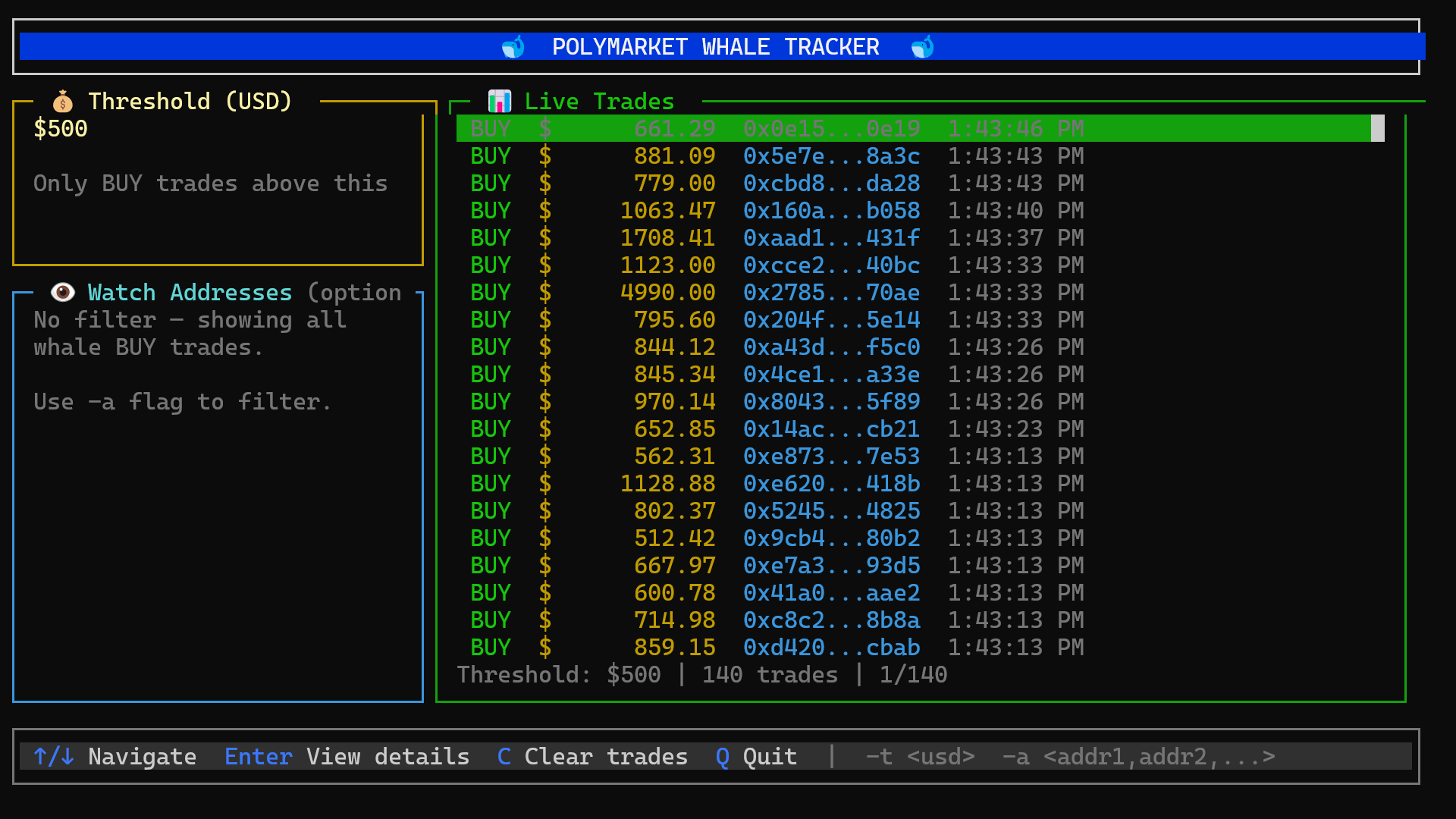
- Streams Polymarket
OrderFilledevents from HyperSync in real-time - Displays only BUY trades above a configurable USD threshold
- Optionally filters by buyer/wallet addresses
- Interactive terminal UI with trade detail view
HyperSync is Envio's high-performance blockchain data retrieval layer. It is a purpose-built alternative to JSON-RPC endpoints, providing up to 2000x faster access to on-chain data across 70+ EVM networks.
- Bun
- An Envio API token (get one here)
cd TUI
bun install# First run - prompts for API key and saves to ~/.hypersync/.env
bun index.ts
# With a custom threshold (only show trades above $500)
bun index.ts -t 500
# With threshold and address filter
bun index.ts -t 500 -a "0xabc...,0xdef..."
# Pre-set API key via environment variable
ENVIO_API_TOKEN=your_key_here bun index.ts| Flag | Description | Default |
|---|---|---|
-t <number> |
USD threshold for BUY trades | 100 |
-a <addr1,addr2,...> |
Comma-separated addresses to filter by | All addresses |
| Key | Action |
|---|---|
Up / Down (or k / j) |
Move selection |
Enter |
Open trade details |
T |
Set threshold |
A |
Set address filter |
Esc / Backspace |
Return from details |
C |
Clear trade list |
Q / Ctrl+C |
Quit |
- Track Polymarket Trades - lightweight script for Polymarket trade data
- Polymarket Indexer - full HyperIndex indexer for Polymarket events
- Track Polymarket Trades blog post - step-by-step walkthrough of how to build Polymarket trade tracking with HyperSync