This mod lets you disable any dimension (Compatible with other mods). Exceptions can be granted through custom items to let players enter locked dimension. It introduces new commands, a gamerule, and custom data components to enhance the player interactions with the permits.
-
Locked portals
Whenever any entity is about to be teleported (by a portal) to a locked dimension, it would being pushed instead, also get a feedback message with the dimension's name.
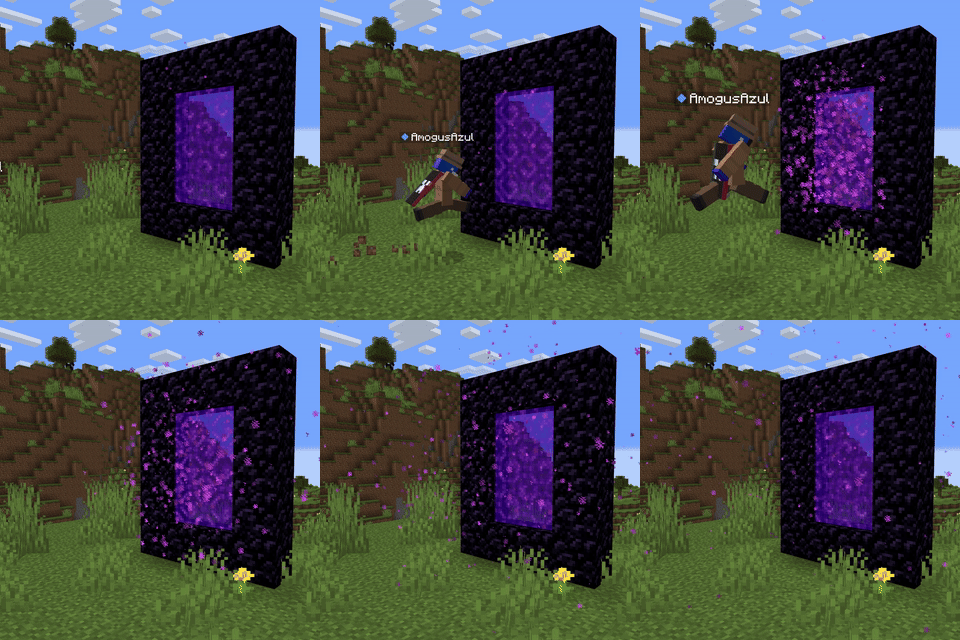
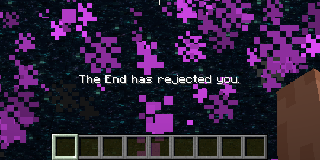
-
Compatibility
This mod is available in
- Forge
- NeoForge
- Fabric
- Quilt
Works out of the box with any other mod that adds dimensions, however you still need some language compatibility. you will need a resource pack to add a language key,
dimension.<mod_id>.<dimension_name>in the case of the nether dimension the mod has
"dimension.minecraft.the_nether": "The Nether",
-
Data Components
Here are a couple of Data Components added by the mod that are recommended to use all together, but can be used separately if desired.
-
dimension:
whenever an entity has a item with thedimensiondata component, no matter if the dimension is trying to enter is locked, it will enter as long as the component's dimension matches the one trying to enter.Example:
/give @s minecraft:ender_eye[dimension_locker:dimension="minecraft:the_end"] -
cant_enter_ender_chest:Doesn't let the item inside the ender chest, nor any item containing it (shulker boxes, bundles, etc).
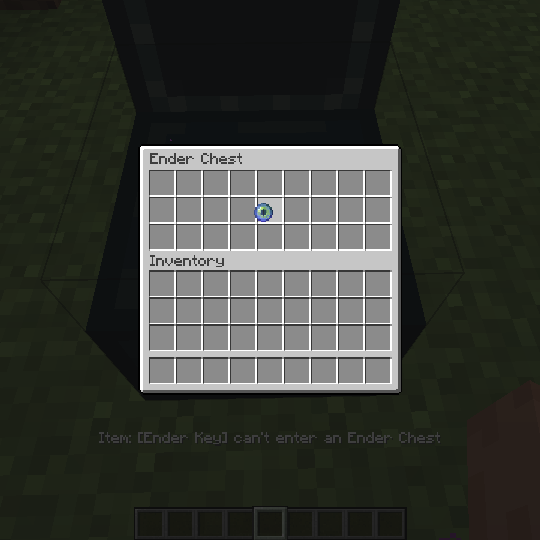
Example:
/give @s minecraft:ender_eye[dimension_locker:cant_enter_ender_chest={}] -
un_despawnable:Quite simple, prevents the item from despawning after the standard 5 minutes, can be paired with the
damage_resistantdata component to make undestructible items.Example:
/give @s minecraft:ender_eye[dimension_locker:un_despawnable={}]
-
-
Commands
You don't have to reboot your server to lock a dimension, an admin can use one of these commands, and it the dimension would be locked/unlocked right away.
- Lock Command:
/dimension lock <dimension> - Unlock Command:
/dimension unlock <dimension> - Check Command:
/dimension isLocked <dimension>
Operators can check the locked status of a dimension.
- Lock Command:
-
New Gamerule
operatorCanEnterLockedDimension: A gamerule that determines whether operators can bypass locked dimensions. Set to true by default.