






Codename One is an open-source, cross-platform application framework for Java and Kotlin developers. A single project can target phones, tablets, desktops, browsers, TVs, watches, and in-vehicle displays while sharing the application logic and UI.
Codename One includes a portable UI toolkit, native compilers and ports, a fast desktop simulator, CSS and visual design tools, Maven and IDE integration, testing tools, and optional cloud builds. Applications can use the portable APIs for common functionality or call platform SDKs and third-party native libraries directly when necessary.
| Form factor | Targets |
|---|---|
| Mobile | Android and iOS |
| Desktop | Native Windows, native Linux, native macOS, and JVM desktop applications |
| Web | JavaScript applications and installable PWAs, including multithreading support |
| TV | Apple TV (tvOS) and Android TV / Google TV |
| Watch | Apple Watch (watchOS) and Wear OS |
| Vehicle | Apple CarPlay and Android Auto |
- Portable UI with a rich component library, layouts, animation, vector graphics, CSS themes, dark mode, desktop input, foldable support, and complete custom drawing.
- Native output built with each target's official toolchain. The native Windows, Linux, and Apple targets produce self-contained executables without requiring a JVM on the user's device.
- Device and OS integration for notifications, background work, location and maps, camera and media, sharing, contacts, NFC, Bluetooth LE, Wi-Fi, USB, motion sensors, biometrics, secure storage, printing, and more.
- Modern application services including REST, WebSocket, GraphQL, gRPC-Web, SQLite and ORM, deep links and routing, passkeys and OIDC, payments, advertising, analytics, and crash protection.
- Advanced experiences with portable GPU/3D and game APIs, AR and VR, AI/LLM integration, speech and transcription, TensorFlow Lite, and ML Kit libraries.
- Productive tooling with an instant simulator, device skins, component and network inspectors, CSS live update, JUnit and screenshot testing, on-device debugging, Maven builds, and CI support.
- Full native escape hatch through native interfaces written in Swift, Objective-C, Kotlin, Java, C, JavaScript, or ordinary JavaSE code, plus the ability to mix native views into a Codename One UI.
- Open source and commercially supported, with no per-application license cap.
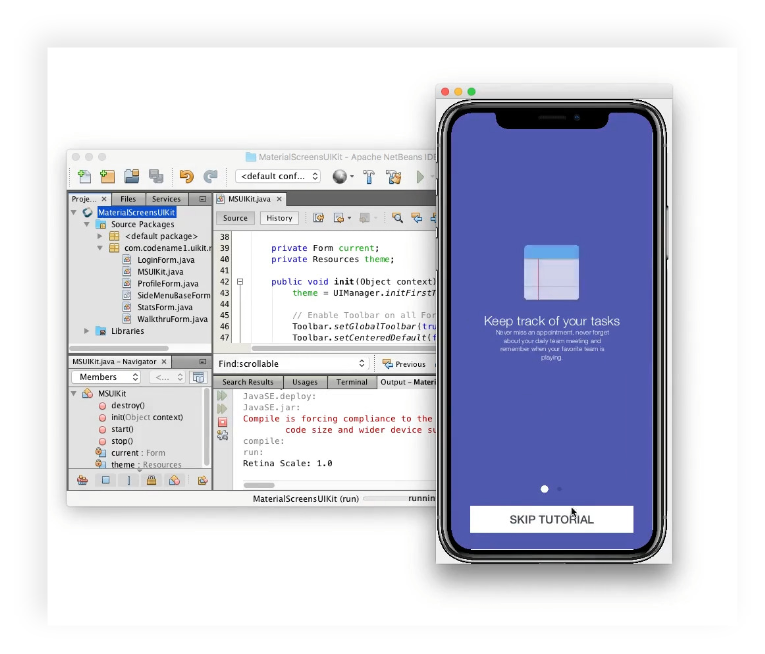
Unlike emulators which you can see in Android etc. Codename One uses a simulator. This means it starts up fast even when debugging. You can enjoy IDE features such as live code reload to modify code in runtime etc.
This means faster debugging cycle and faster development process!

Choose from a large selection of device "skins" to see how your app will look on particular devices. The skin takes into account factors such as resolution and device density to provide a pixel-perfect presentation of your app, as it would appear on the real device. Switching between device skins is nearly instant.
You can edit and contribute skins in their own open source project here.

Interact with your application’s APIs at runtime using the interactive Groovy Console. Inspect the application state or experiment with changes all while the app is running.
This lets you investigate issues and experiment without even the small overhead of recompiling.
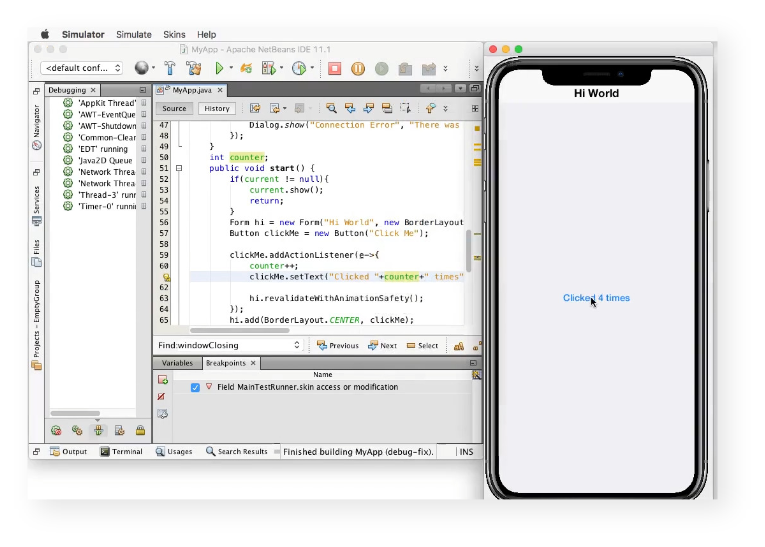
The Simulator let’s you take advantage of the "Reload Changed Classes" feature in IntelliJ (named "Apply Code Changes" in NetBeans) so that changes you make in your Java source code will be applied immediately to your already-running app in the simulator.
Note that this is often superior to the interactive console but there are limitations such as the ability to add methods/change structure of the code. These limits don't apply to the interactive console!

When you make changes to your app’s CSS stylesheet, the changes are reflected instantly in the simulator. This includes changing your theme, images, fonts etc. All changes are instantly refreshed on save, no need to reload/refresh or anything of the sort!
This makes the process of styling an application remarkably easy and fast.

Use the powerful component inspector to browse the UI component hierarchy in your app. This tool makes it easy to find out where that extra padding is coming from or why something just isn’t lining up the way you’d like. You can also change the UIID (selector) of a component in runtime to see how it impacts the UI and see which component in the hierarchy maps to an element in the component tree (DOM equivalent).

See all of the network connections that your app makes using the Network Monitor. This valuable tool comes in handy when you’re trying to figure out why an HTTP request isn’t working for you. Check the headers and bodies of both the request and the response. You can even throttle the network to simulate a slow network connection.

Use the Test Recorder tool to record unit tests for your app. Once you start recording, it will save your interactions into a unit test that can be played back later to verify that behaviour remains correct.
You can then connect the recorded tests to your CI process including automated on device testing.
Codename One is a mature open source project with roots dating back to Sun Microsystems (2006) where one of its core underlying components was developed and open sourced. You can learn about its history and how it works in this video.
Codename One uses the target platform's official build tools and APIs rather than wrapping the application in a web view.
- On Apple platforms, native Windows, and native Linux, ParparVM translates reachable JVM bytecode to C and the platform toolchain compiles it into a self-contained native executable.
- On Android, the application is packaged into a generated Android Gradle project and compiled by the Android toolchain.
- On the web, the JavaScript port compiles the application into a browser runtime with PWA and multithreading support.
- The JavaSE port runs on the JVM and powers both desktop applications and the development simulator.
The portable UI is drawn consistently on every target. When an application needs a platform-specific SDK or control, native interfaces and peer components provide direct access without forcing the rest of the application to become platform-specific.
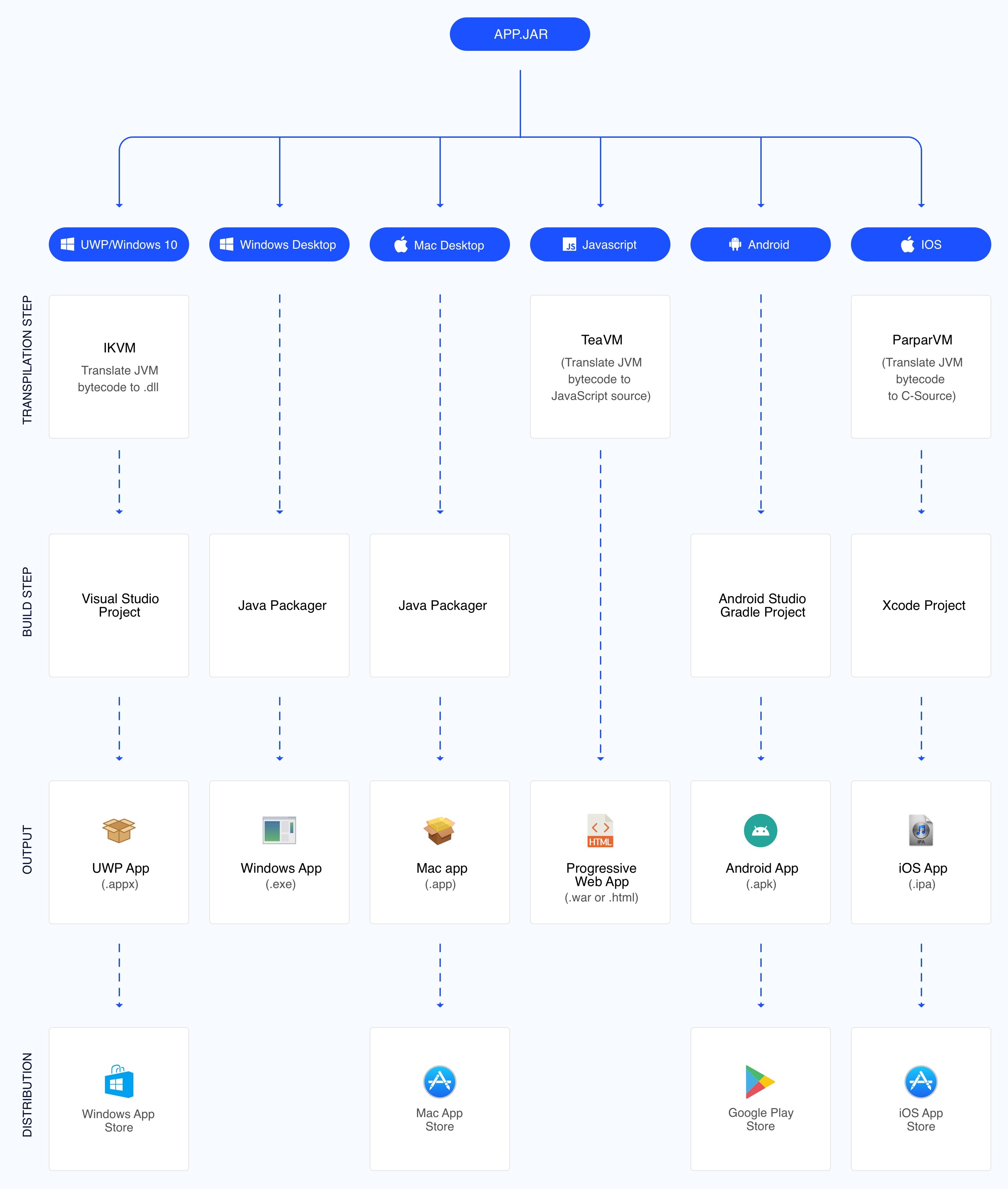
You can click the image to enlarge or view a PDF version here.
Create a Maven project at start.codenameone.com, then open it in IntelliJ IDEA, NetBeans, Eclipse, VS Code, or another Maven-capable IDE.
There is a lot to know about Codename One, this 3 minute video gives a very concise high level view. Notice there are similar videos for Eclipse, IntelliJ/IDEA and Netbeans here:

Codename One can be extended easily using 3rd party libraries that can include native OS code. There is an extensive list of these libraries (cn1libs) here. The libraries list is generated automatically based on this github project.
You can learn more about Codename One and its capabilities at the main site and you can see an extensive list of documentation and tutorials here.
You can get started with the binary and the birds eye view in the download section. Additional important links are:
- JavaDoc
- Developer Guide - HTML & PDF
- How Codename One Works (stackoverflow)
- Codename One Academy
- Blog
- Community Discussion Forum
- Using the Kotlin Support
The setup is covered in depth in this article and video.

IMPORTANT: Building the Codename One framework from source requires JDK 8 -- some sub-modules must use -source 1.5 and -target 1.5 to maintain backward compatibility with parts of the toolchain, and newer JDKs cannot emit those targets.
Running a Codename One application (the simulator or the "Run as desktop app" target) supports JDK 11 through 25 (Eclipse Temurin: https://adoptium.net).
git clone https://github.com/codenameone/CodenameOne
cd CodenameOne/maven
mvn install -Plocal-dev-javase
NOTE: The -Plocal-dev-javase profile is necessary for building the javase port. Without it, you'll get build errors.
This will build and install Codename One in your local Maven repository, including the cn1app-archetype and cn1lib-archetype Maven archetypes. This process can take a while since it automatically downloads dependencies with a size of ~1GB.
Now that Codename One is installed in your local Maven repository, you can use that version in a project instead of the release version. A new testing project can be quickly generated with the Codename One initializr.
After downloading and extracting the project, open its pom.xml file and and look for the <cn1.version> and <cn1.plugin.version> properties.
Then change these to point to the version that got installed into your local maven repository by mvn install -Plocal-dev-javase. The locally built version will usually be a SNAPSHOT version (e.g. 7.0.21-SNAPSHOT).
Getting and Building Sources
$ git clone https://github.com/codenameone/CodenameOne
$ cd CodenameOne
$ ant
Running Unit Tests
$ ant test-javase
Running Samples
The Samples directory contains a growing set of sample applications. These samples aren't meant to be demos, but rather samples of how to use APIs.
You can launch the sample runner app from the command-line using:
$ ant samples
Codename One's native compiler is open source. You can read more about it in its dedicated folder in this repository.
ParparVM translates Java bytecode to portable C, performs reachability analysis to remove unused code, and then hands the generated project to the target's native compiler. It powers the native Apple, Windows, Linux, and JavaScript pipelines and produces small, self-contained applications.
Apple has a tendency to change things abruptly e.g. 64bit support, bitcode etc. Since ParparVM generates a standard Xcode project there were no code changes required for any of these tectonic shifts. It's as if you handcoded the project yourself!
You can open the generated native project and use the platform's debugger and profiler directly. On Apple platforms, for example, the output is a standard Xcode project with readable call stacks and native performance tooling.
Traditional compilers fall flat in these cases.

Ask usage questions and discuss the framework in GitHub Discussions. Use GitHub Issues for reproducible bugs and feature requests. The codenameone tag on Stack Overflow also contains years of community questions and answers.
Thanks goes to these wonderful people (emoji key):


This project follows the all-contributors specification. Contributions of any kind are welcome! ❤️